Learning Mastercam X2 Mill 2D Step by Step

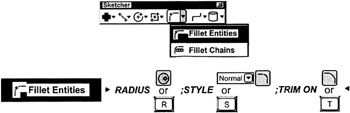
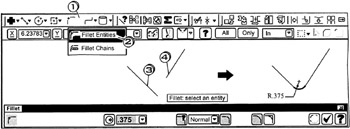
On the CD A fillet is an arc that is fitted tangent to two potentially intersecting line, arc or spline entities. The Mastercam X fillet ribbon bar provides the operator with several control settings. The operator selects the fillet style(normal, inverse, circle, or clearance) and inputs the fillet radius. The operator also specifies if Mastercam is to trim the two entities to their point of tangency with the fillet. The default setting has trimming turned on. Another feature of the fillet ribbon bar is auto-preview . This allows the operator to click the first entity that meets the fillet and then move the mouse cursor over any other possible intersection of the fillet with another entity. Mastercam will display a preview of the fillet as phantom dotted . If the preview image is accepticable, the operator can then simply click the second entity to create the fillet.

The operator sets the fillet Radius for all subsequent fillets created. The fillet arc Style is set to Normal (an arc less than 180 ). Trim is set to On. The two entities filleted will be automatically trimmed to their tangency point with the fillet.

Click
the down arrow ![]()
Click
![]()
Tap the
key for Radius; enter ![]()
accept the default settings:
; Trim On ![]()
Fillet: select an entity
Click
the first line entity
Fillet:...