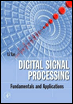
Digital Signal Processing: Fundamentals and Applications
Appendix A: Introduction to the MATLAB Environment

Overview

Matrix Laboratory (MATLAB) is used extensively in this book for simulations. The goal here is to help students acquire familiarity with MATLAB and build basic skills in the MATLAB environment. Hence, Appendix A serves the following objectives:

  1. Learn to use the help system to study basic MATLAB command and syntax

  2. Learn array indexing

  3. Learn basic plotting utilities

  4. Learn to write script m-files

  5. Learn to write functions in MATLAB.

A.1 Basic Commands and Syntax

MATLAB has an accessible help system by the help command. By issuing the MATLAB help command following the topic or function (routine), MATLAB will return the text information of the topic and show how to use the function. For example, by entering help on the MATLAB prompt to question a function sum(), we see the text information (listed partially here) to show how to use the MATLAB function sum( ).

  help sumSUM Sum of the elements.  For vectors, SUM(X) is the sum of the elements of X.  For matrices, SUM (X) is a row vector with the sum over  each column. 

The following examples are given to demonstrate the usage:

  x = [1 2 3 1.5 ?1.5 ?2];       %Initialize an array  sum(x) %Call MATLAB function sumans =4          %Display the result   x = [1 2 3; ?1.5 1.5 2.5; 4 5 6] %Initialize the 3   3 matrixx =    ...

UNLIMITED FREE
ACCESS
TO THE WORLD'S BEST IDEAS

SUBMIT
Already a GlobalSpec user? Log in.

This is embarrasing...

An error occurred while processing the form. Please try again in a few minutes.

Customize Your GlobalSpec Experience

Category: Robot Software
Finish!
Privacy Policy

This is embarrasing...

An error occurred while processing the form. Please try again in a few minutes.