Adobe Photoshop Elements 4.0 A to Z: Tools and Features Illustrated Ready Reference
Menu:
Editor: File > Print Multiple Photos
Photo Browser: File > Print
Shortcut: Alt Ctrl P
OS: Windows
Version: 3, 4
See also: Print

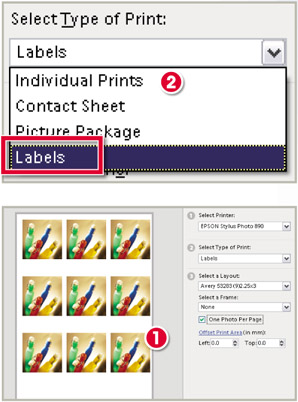
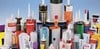
This feature was first introduced in Elements 3.0 for Windows. It is a multi-photo printing option that lays out and sizes images to suit the design of commercially available sheets of adhesive labels (1). Located in the Print Multiple Photos feature, the Labels option is an item on the drop-down menu in section 2 (Select Type of Print) of the dialog (2).
The Layout box contains a variety of label sheet designs and, just as with the Picture Package feature, you can add frames to your label photos.
To help with precise aligning of the print to the label sheet Adobe has also included an Offset print settings box. Here you can make slight adjustments of where the pictures print on the paper surface.
If the print is misaligned to the left then add a positive number to the settings; if the error is to the right then you will need to add a negative number to the dialog.
Menu: -
Shortcut: L
OS: Mac, Windows
Version: 1, 2, 3, 4
See also: Polygonal Lasso, Magnetic Lasso

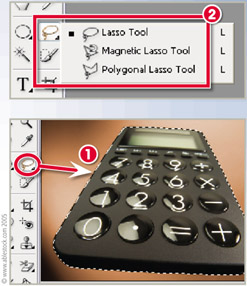
As the name suggests, the Lasso tools are designed to capture picture parts by surrounding them with a drawn selection area (1).
The standard Lasso tool (2) works like a pencil, allowing the user to draw freehand shapes...