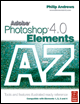
Adobe Photoshop Elements 4.0 A to Z: Tools and Features Illustrated Ready Reference
W: Wall Calender WYSIWYG Font Preview

Wall Calendar

Menu: Photo Creation: Wall Calendar

Shortcut: -

OS: Windows

Version: 3, 4

See also: Photo Creations

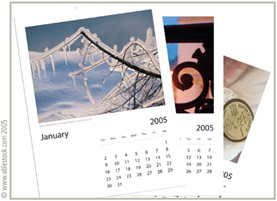
The Wall Calendar project takes all the manual labor out of the process of creating calendars by not only providing some great templates for you to add your photos to, but also by including a date calculator built into the dialog.

Simply insert the start and end dates for your calendar and Elements works out the days and dates for whatever year you choose. The hardest task you have to perform in the whole process is choosing which pictures to include and which to leave out.

To create a calendar multi-select the pictures that you want to include from the Photo Browser and then choose the Wall Calendar option from the Photo Creations main screen. You can change feature images and add titles or descriptive text using the buttons provided in the wizard screens that follow.

As with other Photo Creation projects, this feature provides you with the opportunity to print the wall calendar, send it as an e-mail or save the whole project as a PDF file.

Warp Text Command

Menu: -

Shortcut: T

OS: Mac, Windows

Version: 1, 2, 3, 4

See also: Type

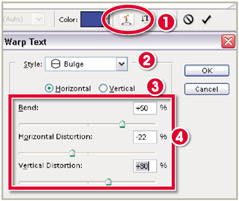
One of the special features of the Elements type system is the 'Warping' feature. This tool forces text to distort to one of a range of shapes. An individual word, or even whole sentences, can be made to curve, bulge or even simulate...

UNLIMITED FREE
ACCESS
TO THE WORLD'S BEST IDEAS

SUBMIT
Already a GlobalSpec user? Log in.

This is embarrasing...

An error occurred while processing the form. Please try again in a few minutes.

Customize Your GlobalSpec Experience

Category: Digital Asset Management Software
Finish!
Privacy Policy

This is embarrasing...

An error occurred while processing the form. Please try again in a few minutes.