Adobe Photoshop Elements 4.0 A to Z: Tools and Features Illustrated Ready Reference
Menu: Editor: Filter > Sketch > Halftone Pattern
Shortcut: -
OS: Mac, Windows
Version: 1, 2, 3, 4
See also: Filters, Color Halftone

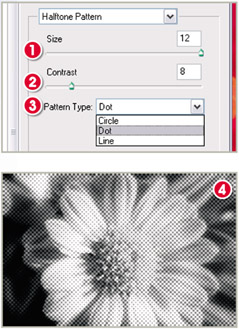
The Halftone Pattern filter, as one of the group of Sketch filters, simulates the look of a picture that has been printed using a halftone or screened pattern. The filter provides similar looking results to the Color Halftone feature except here the pattern is created in monochrome and is based on the current foreground and background colors. Another difference is that the filter contains a Preview window and the ability to change the pattern type (3).
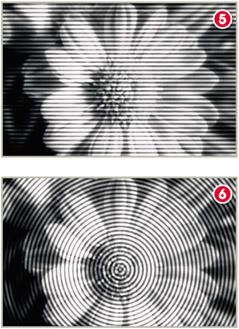
The size of the pattern element (1), dot or line, and the overall contrast of the effect (2) is controlled by the sliders in the dialog. The pattern type can be switched between dot (4), line (5) or circle (6) options.

Menu: -
Shortcut: H
OS: Mac, Windows
Version: 1, 2, 3, 4
See also: Move

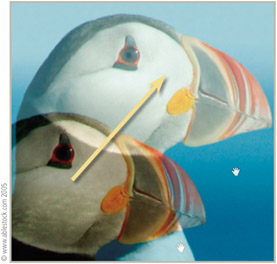
The Hand tool helps users navigate their way around images.
This is especially helpful when the image has been 'zoomed' beyond the confines of the screen. When a picture is enlarged to this extent it is not possible to view the whole image at one time; using the Hand tool the user can drag the photograph around within the window frame.
| Pro's Tip | You can invoke the Hand tool at any time by pressing the Spacebar (except when using the Type tool). |