Adobe Photoshop Elements 4.0 A to Z: Tools and Features Illustrated Ready Reference
Menu: -
Shortcut: -
OS: Mac, Windows
Version: 1, 2, 3, 4
See also: Info Palette

The Eyedropper tool samples the color of an area in an open image or on the desktop. When the mouse button is clicked the color of the area under the pointer is stored as the new foreground color.
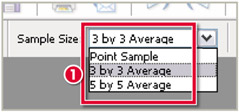
The size of the sample area can be set in the Tool's options bar (1). The Point Sample copies the precise color of the pixel beneath the cursor whereas the 3 by 3 or 5 by 5 options store a color that is the average of the pixels contained in these sample areas.
Menu: -
Shortcut: -
OS: Mac, Windows
Version: 1, 2, 3, 4
See also: Hue/Saturation, Remove Color

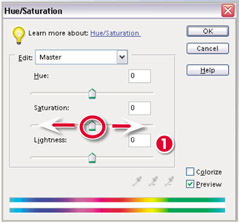
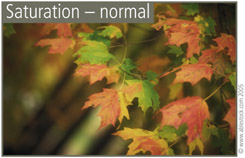
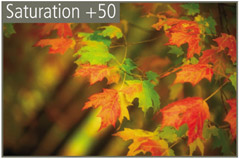
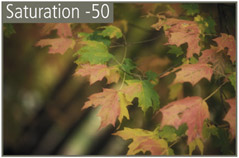
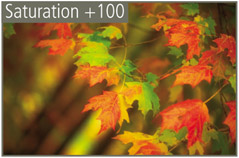
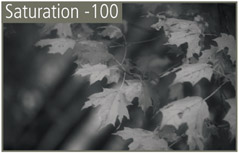
The saturation of a color photo is usually described as the color's strength or vibrancy. Decreasing the saturation in a picture gradually removes the color from the image, creating more subtle or pastel shades. Continuing to lessen the saturation will eventually reach a point where no color remains and the photo is effectively a grayscale image. Increasing the saturation makes the colors more vibrant. You have to be careful when adjusting the picture in this way though as overly saturated pictures often print as flat areas of color with no detail. Saturation changes are made by moving the Saturation slider in the Hue/Saturation feature (1) or in the Quick Fix palette bin.