Photoshop CS A to Z: The Essential Visual Reference Guide
Designed to present the program in a visual way and in a logical order, this helpful, concise guide presents handy tips and useful quick keys that make Photoshop CS work for you.
 TABLE OF CONTENTS
 | MENU | WINDOW ? |
| ACTIONS | |
| QUICK KEY | F9 |
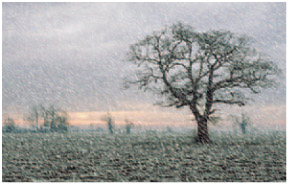
An action is a way of automatically applying a technique to an image using a prerecorded series of commands, or a script, that is triggered by pressing one or a combination of keys. Many actions are already supplied with Photoshop and can be found at the bottom of the Actions menu by clicking on the arrow at the top right of the Actions palette. They can also be found in the Presets folder. An action can be as simple as opening a new canvas or as advanced as creating a drop shadow on an existing picture or, as in our example (left), making snow.
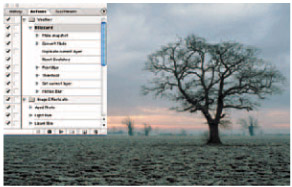
You can turn part of an action on or off, as well as record, play or edit new or existing actions.
You can also create your own Photoshop actions using the Automate mode, so if there are techniques you find particularly fiddly or ones you'll want to use again, record the commands as you run through them and assign the action a shortcut key.
To record a new action open an image and select New Action from the hidden menu or click on the page icon at the bottom of the palette. This displays a new palette. Name your action, choose a destination folder, a shortcut key and a color for the button display.
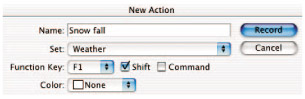
The shortcut can be a single F button or any combination of an F along with Shift and Control keys. Click...