Photoshop CS A to Z: The Essential Visual Reference Guide
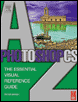
Designed to present the program in a visual way and in a logical order, this helpful, concise guide presents handy tips and useful quick keys that make Photoshop CS work for you.
 TABLE OF CONTENTS
 Every time Adobe update Photoshop, users ask whether it's worth upgrading. Often there are only a few changes, but they're usually 'must haves', making it hard not to want to upgrade. Throughout this book I've illustrated features that come with Photoshop 7.0, but many of these came with previous versions. If you have an earlier version or a light edition (LE), use this chart to see whether the feature is available on your copy.
I've also included the recent addition to Adobe's portfolio, Elements (Ele), which is like a light version of Photoshop, with some new, easier, automated modes, making it more accessible for beginners.
| Photoshop feature changes | v3.0 | v4.0 | v5.0 | LE | v5.5 | v6.0 | Ele | v7.0 | v8.0 |
|---|---|---|---|---|---|---|---|---|---|
| Tools | |||||||||
| Annotation tools | ? | ? | ? | ||||||
| Art History Brush | ? | ? | ? | ? | |||||
| Background & Magic Eraser | ? | ? | ? | ? | ? | ||||
| Crop tool with transform feature | ? | ? | ? | ||||||
| Healing brush | ? | ? | |||||||
| Measuring tool | ? | ? | ? | ? | ? | ||||
| Magnetic Lasso | ? | ? | ? | ? | ? | ? | ? | ||
| Magnetic Pen | ? | ? | ? | ? | ? | ||||
| Painting tools | ? | ? | ? | ? | ? | ? | ? | ? | ? |
| Patch tool | ? | ? | |||||||
| Photo Merge |