Photoshop CS A to Z: The Essential Visual Reference Guide

Designed to present the program in a visual way and in a logical order, this helpful, concise guide presents handy tips and useful quick keys that make Photoshop CS work for you.
 TABLE OF CONTENTS
 (See Artistic filters )
| MENU | FILTER ? |
| DIGIMARC ? | |
| EMBED WATERMARK |
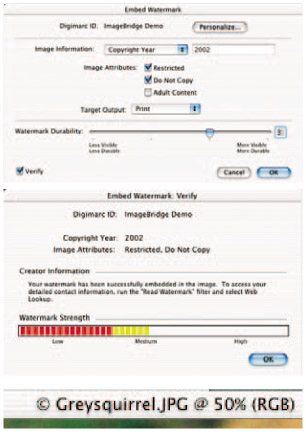
Adding a watermark to your image is a safe way of protecting the copyright. Digimarc embeds a digital watermark to the image. It's imperceptible to the human eye but is durable in digital and printed forms and will survive typical image edits and file format conversions. A symbol appears by the title to warn viewers that copyright should be respected. To use this feature you have to register with Digimarc and receive a special ID number.
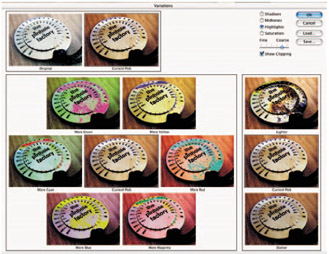
Turn Show Clipping on to display a preview of channels that have been clipped as a result of your adjustment. The neon color indicates the affected channel or channels. In this example if you clicked on darker the clipping would disappear.

Left: The original photograph of a brass calculator dial was photographed using window light and lost the lovely yellow color. Variations enabled me to bring this back to something like the original item. It's easy to use and you can see instantly which way to go to ensure better results. By careful control of lighten and darken I could ensure that the highlights didn't get clipped while adjusting color.
When using pictures on the Web there are a limited number of colors that can be selected when writing HTML code. Photoshop versions back to 5.5 let you select the Web palette from the Color Picker and when you pick a color,...