Photoshop CS A to Z: The Essential Visual Reference Guide

Designed to present the program in a visual way and in a logical order, this helpful, concise guide presents handy tips and useful quick keys that make Photoshop CS work for you.
 TABLE OF CONTENTS
 | MENU | EDIT ? |
| FADE | |
| QUICK KEYS | CTRL+SHIFT+F |
The fade command allows any filter or color change to be reduced in strength using this fade control. The effect can also be adjusted using the fade with a Blend mode making the filter appear as though it's on a separate layer to give a completely different feel. Definitely one to experiment with. The Fade command moved to the edit menu on version 6.0. Version 5.5 users will find it in the filter menu.
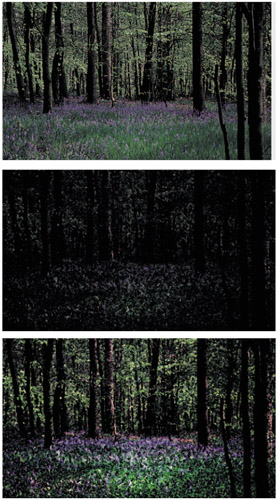
The Fresco effect from the Artistic filter menu has created a moody oil painting (middle). The Fade command, set to Luminosity Blend mode, gives added sparkle in the greens which is further enhanced by increasing brightness and contrast (bottom).
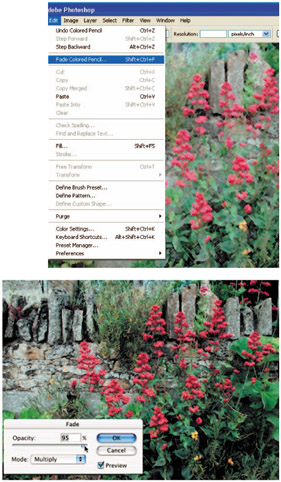
The Pencil effect from the Artistic filter menu has created a weak pastel result (right). The Fade command, set to Multiply Blend mode, increases contrast to give more vibrant coloring (below).
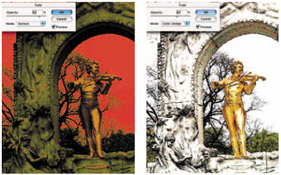
Two extreme effects of using the Fade option with a Blend mode.
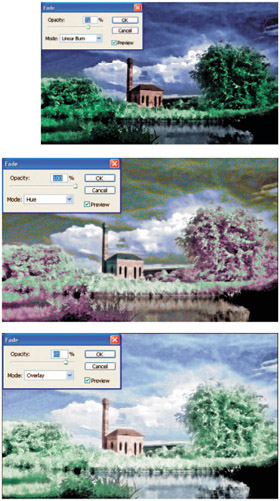
Here's what happens when the Fade is used after an artistic filter has been applied.
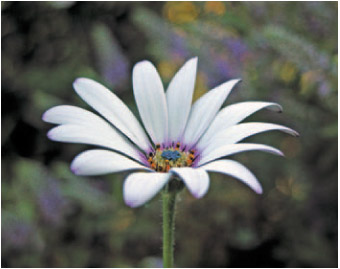
Taking the fade mode a stage further, I've applied a few filter effects to this photograph of an osteospermum flower and then used the Fade command and various Blend modes to show what affects can be achieved. Turn the page for a visual feast.
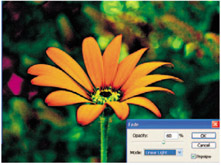
The first stage was to play around with the Channel mixer to get some alternative colors, and then I faded the effect...