Photoshop CS A to Z: The Essential Visual Reference Guide
Designed to present the program in a visual way and in a logical order, this helpful, concise guide presents handy tips and useful quick keys that make Photoshop CS work for you.
 TABLE OF CONTENTS
 The opacity slider appears in many of the palettes and is adjusted by either dragging the arrow left or right or typing in a new percentage value. Use this mode to adjust the layer's appearance in the overall image or adjust strengths of paints and editing tools.
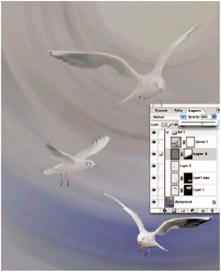
Here's one of the ways you can use opacity in a more complex layer structure. I created a background and cut out three seagulls which were then pasted onto the background creating four layers. I wanted two of the seagulls to appear to be in mist, but just changing the opacity would make the background show through so I created a neutral gray layer with a gradient mask and reduced the opacity of this to partly reveal the birds.

Text displayed at various opacities.
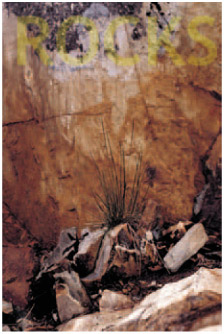
Opacity set to 20%.
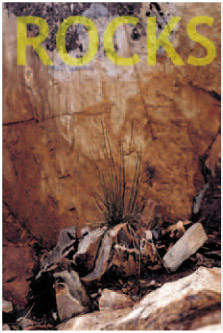
Opacity set to 40%.
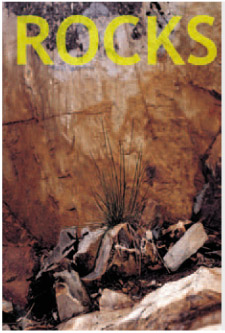
Opacity set to 60%.
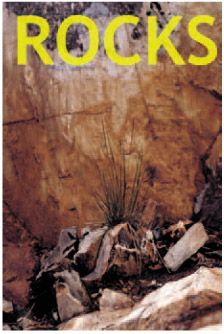
Opacity set to 80%.
| MENU | FILE ? |
| OPEN | |
| QUICK KEY | O |
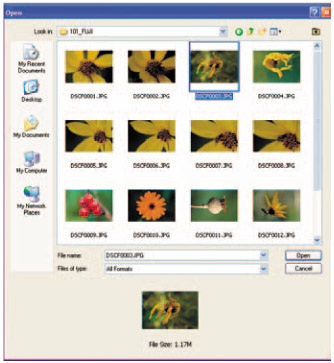
Use this to open pictures from within Photoshop. It will point you to a folder or directory and you then go through the system to search for the picture. When you find the image double click it to open.
| MENU | FILE ? |
| OPEN AS | |
| QUICK KEY | ALT+CTRL+O |
You may find that a file will not open with a message appearing that says incorrect format. This can happen when you accidentally add a wrong file extension when renaming a file or try to open a file that has no...