Photoshop CS A to Z: The Essential Visual Reference Guide
Designed to present the program in a visual way and in a logical order, this helpful, concise guide presents handy tips and useful quick keys that make Photoshop CS work for you.
 TABLE OF CONTENTS
 TOOLBAR
All of the tools in Photoshop's toolbar can be accessed using shortcut keys. Hold down the Alt + shortcut key to scroll through multiple options.

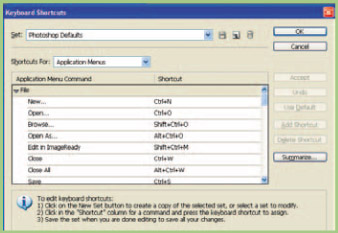
Press Shift+Ctrl+Alt+K to create your preferred Keyboard Shortcuts on Photoshop CS.
All the Blend modes have shortcuts. Hold down the Shift key + Alt with the corresponding letters below. Items in yellow were new to Photoshop 7.0 and the item in red is new to Photoshop CS.

Several keys are mentioned regularly in this book to use as shortcuts and as most readers will be PC owners I've mentioned the PC versions. Below are Mac equivalents with symbols to help you identify these on the keyboard.
 Shift key is same on both systems
PC Enter key is Return key on a Mac
PC Alt key is Option key on Mac or 
PC Ctrl key is Command key on Mac or z
Keeping your desktop clear of junk is essential for clean working, especially if you have a smaller monitor. Palettes are one of the biggest culprits for clogging up space. Fortunately F keys will open and close palettes with ease.
F5 shows or hides Brush palette on version 5.5 and before.
Shows brush presets on version CS.
Color palette
F6 shows or hides it.
Layers palette
F7 shows or hides it.
Info palette
F8 shows or hides it.
Actions palette
F9 shows or hides it.
The Tab key shows or hides...