Photoshop CS A to Z: The Essential Visual Reference Guide
Designed to present the program in a visual way and in a logical order, this helpful, concise guide presents handy tips and useful quick keys that make Photoshop CS work for you.
 TABLE OF CONTENTS
 (See Blur filters)
(See Gradient tool )
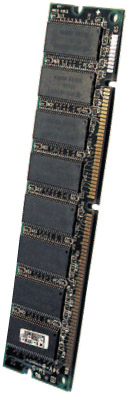
Short for Random Access Memory the part of the computer that's used to run programs. Photoshop needs a minimum of 128Mb to run, 192Mb for anything more than basic manipulation and as much as you can stick in to do complex multilayer picture editing of large files.
Most computers can be upgraded and RAM, while fragile, is easy to install. You just take off the computer's side, back or lid, locate the memory slots and clip a stick of RAM into the hole. RAM used to be very expensive a 128Mb chip cost around 900 a few years ago now it's around 20p per megabyte.

Another name for a bitmap an image made up of a grid of pixels.
| QUICK KEY | U |
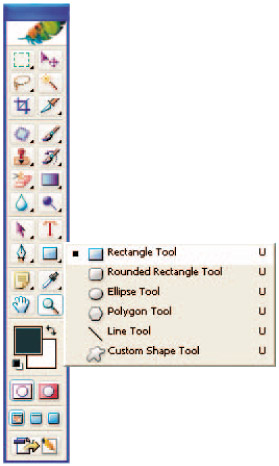
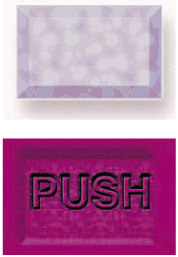
One of the vector-based shapes that you draw on the page. The shape fills with the foreground color and can be resized to suit the job you're doing. It appears on a new layer and has an adjustment icon where you can change its color. These can also be used to mask individual image layers. The list also includes Rounded rectangle, Ellipse, Polygon, Line and Custom shape. Here a layer effect has been applied which then affects any shape that's added to the canvas.
(See Marquee tools )
| MENU | IMAGE ? |
| ADJUSTMENTS ? | |
| REPLACE COLOR |
Use this to...