Photoshop CS A to Z: The Essential Visual Reference Guide

Designed to present the program in a visual way and in a logical order, this helpful, concise guide presents handy tips and useful quick keys that make Photoshop CS work for you.
 TABLE OF CONTENTS
 | MENU | IMAGE ? |
| MODE ? | |
| DUOTONES |
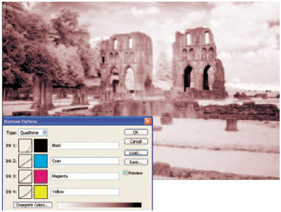
Quadtones, like Duotones and Tritones, are grayscale images that use process or Pantone colors to give a subtle color tone, almost like the sepia, blue and gold toning of the conventional darkroom but with much more control and repeatability. Photoshop has a selection of preset Quadtones in the Duotone folder found in the Preset folder. (See Duotones and Tritones )
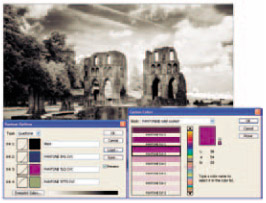
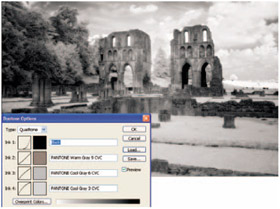
From the preset selection, this adjusts the grayscale without adding a colour hue and is used to ensure better printing in high quality books.
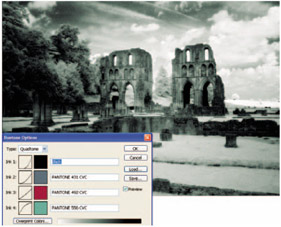
Another preset using Pantone colours to give a subtle green hue. This would be effective on still life shots but less so on a portrait.
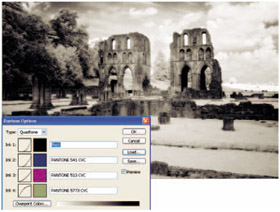
One of the Pantone presets that gives a slight sepia style glow.
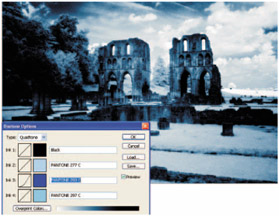
Blue colors like this, created using the process color preset, can work well with glamour images.
| QUICK KEY | Q |
Enter this mode by clicking on the icon near the bottom of the toolbar. It's a quick way to create a mask around a section. The mask can be increased using one of the Painting tools or decreased using the Eraser.
When you've made all your adjustments to the mask, click the off icon at the base of the toolbar and a selection will appear on the edges where the mask meets the unmasked area. Use the Paint or Erase tool set to a small brush size to clean up rough areas.
A process color...