Photoshop CS A to Z: The Essential Visual Reference Guide

Designed to present the program in a visual way and in a logical order, this helpful, concise guide presents handy tips and useful quick keys that make Photoshop CS work for you.
 TABLE OF CONTENTS
 An edge is formed where adjacent pixels have high contrasting values. Photoshop has a number of filters that detect these and apply contrast reducing or increasing effects to soften or sharpen the image accordingly. (See Find Edges filter )
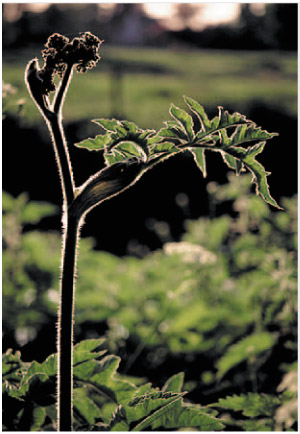
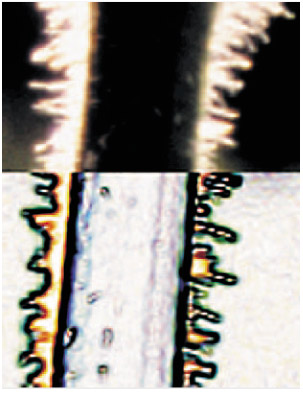
The top half of the picture (left) is an enlarged part of the stem of the plant in the picture above.
The Find Edges filter picks up all the areas of edge contrast and produces an almost posterized version that highlights these edges.
(See Marquee tools )
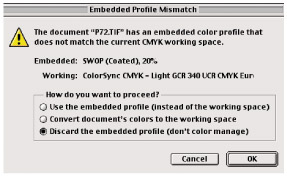
This box appears when you open a picture that has an embedded profile that is different to the one you use for your working color space. You then have three options. For best results you should select Convert providing you have set up your color management correctly.
(See Stylize filters )
| MENU | IMAGE ? |
| ADJUSTMENTS ? | |
| EQUALIZE |
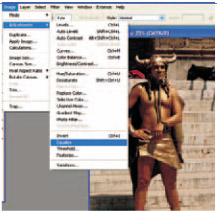
A quick fix that can help brighten up a dark scanned image that cannot be improved using Auto Levels. When you apply the Equalize command Photoshop redistributes the brightness values of the image's pixels so that they more evenly represent the entire range of brightness levels. It does this by finding the brightest and darkest values in the image and then adjusts the levels so that the brightest value is white and the darkest value is black. It then equalizes the brightness by distributing the intermediate pixels evenly throughout the grayscale.
You can also...