Exercise Workbook for Beginning AutoCAD 2005

Use this easy-to-follow, self-study guide to learn the basics of AutoCAD through step-by-step lessons and non-intimidating exercises.
 TABLE OF CONTENTS
 In the 1workbook helper.dwg, lineweights have been assigned to layers. When you select the appropriate layer the lineweight is automatically drawn. For example: when you select the layer "object" the lineweight will be .031. This lineweight will be visible on the screen and will plot.
Lineweights may also be assigned to colors within the "color dependent plot style table". Some AutoCAD users prefer to assign lineweights to colors rather than layers or individual objects. As you get more familiar with Lineweights and plotting, you can determine which process you prefer.
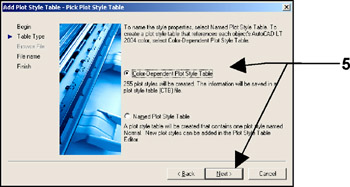
To assign lineweights to colors, you must create a "Color dependent Plot Style Table". When this plot style table is selected, it will override the lineweights assigned within the drawing. The step by step process is described below.
Select FILE / PLOT STYLE MANAGER
Select "Add-A-Plot Style Table" Wizard 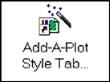
The following dialog boxes will appear.
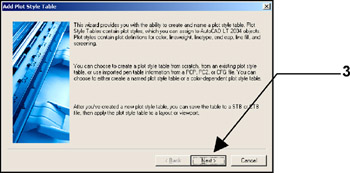
Select the Next button.
Select "Start from Scratch" then the Next button.
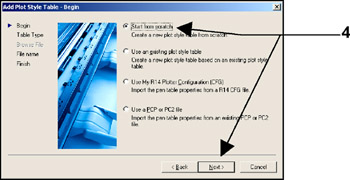
Select "Color-Dependent Plot Style Table" then the Next button.
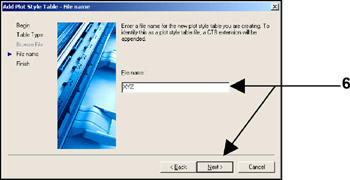
Type the new Plot Style Table name then select the Next button.
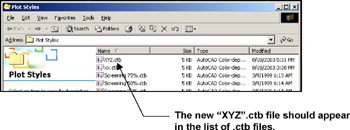
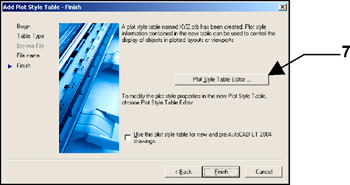
Select the "Plot Style Table Editor" button.
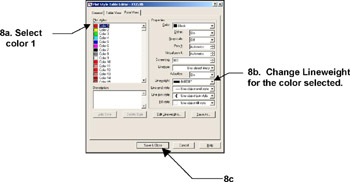
Make changes to the "PROPERTIES" then select the Save & Close button.
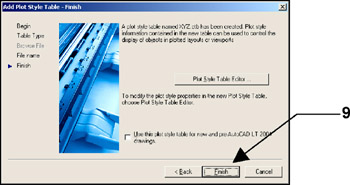
Select the FINISH button.
Select File / Plot Style Manager.