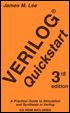
Verilog Quickstart: A Practical Guide to Simulation and Synthesis in Verilog, 3rd Edition
The hello simulation and the previous chapter's examples gave you a preview of one way to print out information: The $display system task. All of the commands to print out results are relatives of the $display system task.
As you learn the Verilog language, you will see that Verilog is a flexible language for modeling. There are some special built-in commands for system functions such as printing messages or reading and writing files. The special commands are called system tasks and they all begin with the "$" symbol. The "$" symbol is also used to indicate system functions.
Using the $display system task is the basic way to print out results. The simplest form of $display is shown in the hello simulation in Chapter 2 and is repeated in Example 5-1.
<a name="156"></a><a name="page48"></a>$display ("Hello Verilog"); This simple form of $display simply prints the string between the quotation marks, followed by a new line.
$display (a);
The form of $display shown in Example 5-2 prints out the value of a in the default radix, which is decimal. This is a common way to debug a simulation interactively. You can use the $display command in your source code or as an interactive command.
$display (a, b);$display (a, , b);
The two lines...