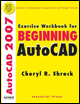
Exercise Workbook for Beginning AutoCAD 2007
Lesson 26

LEARNING OBJECTIVES

After completing this lesson, you will be able to:

  1. Create your own Layers.

  2. Load Linetypes into your drawing.

  3. Understand the difference between Model and Layout tabs.

  4. Adjust the size of the Pick box.

  5. Create Floating Viewports

  6. Create a Page Setup for plotting your drawings.

  7. Create a Decimal Setup master file for future use.

  8. Create a new Border to use when plotting.

UNLIMITED FREE
ACCESS
TO THE WORLD'S BEST IDEAS

SUBMIT
Already a GlobalSpec user? Log in.

This is embarrasing...

An error occurred while processing the form. Please try again in a few minutes.

Customize Your GlobalSpec Experience

Category: Computer-Aided Design (CAD) Services
Finish!
Privacy Policy

This is embarrasing...

An error occurred while processing the form. Please try again in a few minutes.