Exercise Workbook for Beginning AutoCAD 2007
In this lesson we will review and practice:
Polyline / Spline commands. (Lesson 23)
INSTRUCTIONS:
Open drawing My Decimal Setup
Select the 11 X 17(1 to 1) tab. (You should see your title block)
Double click in the viewport area to get into model space.
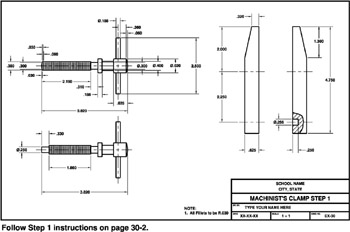
STEP 1.
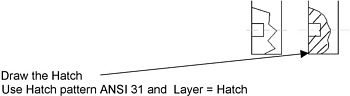
Draw the details shown on page 30-3. Do not dimension.
Draw the break line as follows:
Draw the break line using POLYLINE.
Change it to a curved line using:
MODIFY / OBJECT / POLYLINE
Select the Polyline
Select Spline

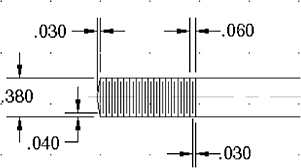
Thread dimensions below. Use Layer Threads.
Draw the first 2 lines and then use the Array command.

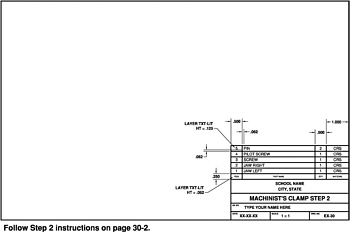
STEP 2.
Return to paperspace.
Draw the PARTS LIST (in paperspace) shown on page 30-4, STEP 2.
Make the changes to the title block.
STEP 3.
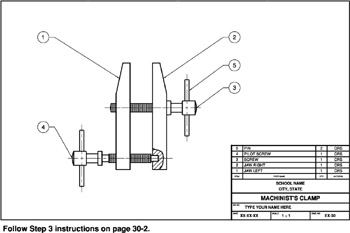
Move the parts into the proper locations to form the assembly shown.
The distance between the jaws is 1 .
Draw the Balloons:
Use Leader
Use a . 50 dia circle.
Text ht. = . 187
Save as EX-30 and PLOT using Page setup 11 x 17 Mono .