Introduction to AutoCAD 2006 2D and 3D Design

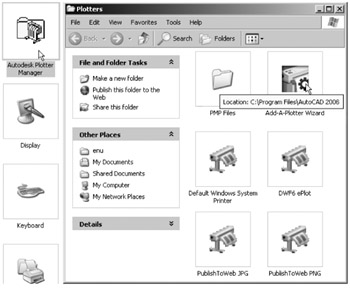
Some suggestions for printing/plotting of AutoCAD drawings have already been given (pages 234 to 236). Plotters or printers can be selected from a wide range and are used for printing or plotting drawings constructed in AutoCAD 2006. The example given in this appendix has been from a print using one of the default printers connected to the computer I am using. However if another plotter or printer is connected to the computer, its driver can be set by first opening the Windows Control Panel and with a double-click on the Autodesk Plotter Manager icon the Plotters dialogs appears (Fig. A.1).
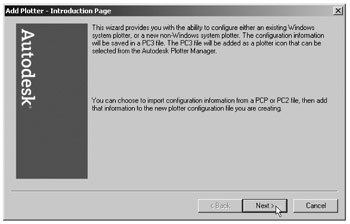
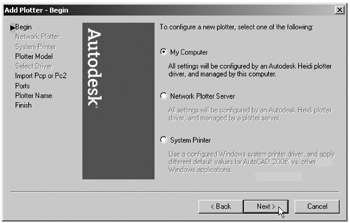
Double-click on the Add-A-Plotter Wizard icon and the first of the Add Plotter series of dialogs appears (Fig. A.2). Click the Next button and the second of the dialogs ( Begin) appears (Fig. A.3). Click in the radio button My Computer (in this case), followed by a click on the dialog's Next button.
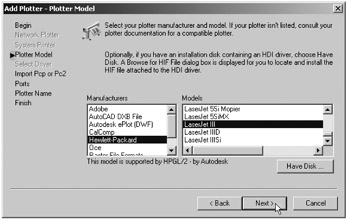
The third of the dialogs appears the Plotter Model dialog (Fig. A.4). Select names in the Manufacturers list and a selection can be made from the Models list associated with the chosen manufacturer's name.
There are several more dialogs in the series in...