Planning Using Primavera Project Planner P3 Version 3.1 Revised 2006
This chapter looks at the methods for adding activities to your schedule.
Activities should be well defined and measurable pieces of work with a measurable outcome. Activities such as Specification have confusing meanings. Does this mean Draft, Review, Approve, Issue, or all of these? A more appropriate task description would be Specification Approved or Specification Issued . It also helps to repeat the code title in the activity description (i.e.: System 1 Specification Issued if you have room). The limit for the descriptions is 48 characters so try to keep the activity descriptions brief but meaningful.
There are several methods to add a task or activity.
Method 1
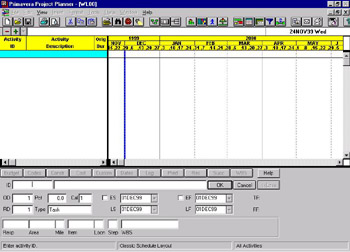
The first and easiest is to click on the
icon found towards the top left of the screen. This will open the Activity form for data entry at the bottom of the screen.

At ID enter the P3 Activity ID, which may be up to 10 alpha numeric characters.
Tab, and enter the description in the box to the right of the ID box.
Tab, and enter the activity duration in the OD (Original Duration) box .
Tab, you will be in the RD box ( Remaining Duration or Rem Dur) and this will default to the Original Duration when it is first entered, you do not need to enter any thing at this box.
Tab, at Pct. This is where you would enter the percent complete when statusing an...