Planning Using Primavera Project Planner P3 Version 3.1 Revised 2006

Activities may be grouped under their Activity Codes. This enables the activities to be grouped and presented under different headings.
Activity Codes must be assigned to activities before the activities may be grouped under their respective Codes.
The activities are then sorted under their Activity Code headings using Organize.
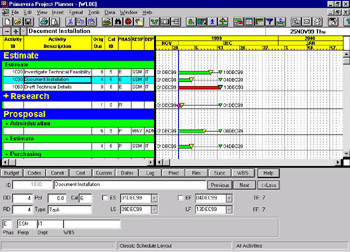
The example shows a project organized by Phase and Responsibility with some bands summarized. These have a + in front of the band heading.

This chapter covers the following topics:
Assigning Activity Codes to activities,
Organizing Activities under their respective codes and
Summarizing and Expanding Bands that are created by organizing activities under their activity codes.
You may assign Activity Codes to activities as you create them or later. Activity Codes may be assigned to activities in a number ways:
Using the Code Boxes at the bottom of the Activity Form (see below) or
Creating columns for each code and assigning them using the edit box or
Using the Codes form by selecting View, Activity Detail, Codes or Ctl M.
You may also drag the activity to a new band to assign the code pertaining to that band. Click on an activity, move the mouse arrow to the left hand side of the activity and generate a double arrow mouse pointer, click and drag the activity to a new band. The activity code of the new band will be assigned to the activity.
When you...