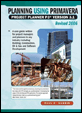
Planning Using Primavera Project Planner P3 Version 3.1 Revised 2006
This section is designed to make you aware of the software s ability to control the presentation of information, both on the screen, and in printouts, by using Filters and Layouts.
Filters allow you to select which activities are displayed. You should use a filter when you wish to work with a small group of activities that meet a specific criteria for performing any scheduling function, such as adding logic or analyzing resources.
Once you have altered the appearance of your screen with Organize, Filters and Format Bars you may save your settings with the Save Layouts function and reuse them at a later date.
This chapter covers the following topics:
Understanding how to use filters
How to create and edit your own filters and
How to save your own layouts.
The name of the current Layout and Filter is always displayed at the bottom of the screen in the status bar.
P3 has an ability to restrict the number of tasks displayed on the screen at any given time. You may only wish to see the Project Manager s work or perhaps Saturday work or even the work over the next couple of months. P3 defaults to using all activities and has a number of filters already available that you might like to use, edit or delete. You may also create one or more for your own use.
Select Format, Filter or click the
button on the...