Adobe Photoshop CS2 A - Z: Tools and Features Illustrated Ready Reference
D: Darken blend mode Dust & Scratches filter

Darken blend mode Deselect

Darken blend mode

  • Menu:

  • Shortcut:

  • Version: 6.0, 7.0, CS, CS2

  • See also: Blend modes

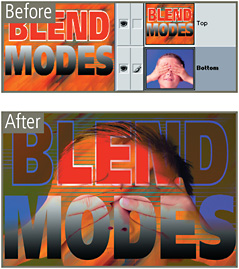
The Darken blending mode is one of the group of modes that darken the picture.

When the top layer is changed to the Darken mode both layers are examined at each part of the picture. When the darkest color is located it can be from either layer it is selected as the final color.

Next the pixels in the top layer are compared to the final color; if they are lighter then they are replaced, if darker they are left unchanged.

Define Brush

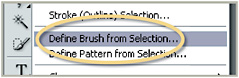
  • Menu: Edit>Define Brush Preset

  • Shortcut:

  • Version: 6.0, 7.0, CS, CS2

  • See also: Brush tool

Photoshop includes a sophisticated Brush engine that when combined with the program s ability to make a brush tip from almost any image allows the user unlimited drawing options to play with.

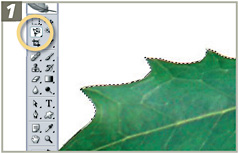
At the center of brush customization is the Define Brush Preset feature. After using any of the selection tools to outline a part of a picture that will be the new brush tip, select Define Brush Preset under the Edit menu. Name the new brush and click OK. The new tip will now be available at the bottom of the list of brushes in the tool s options bar.

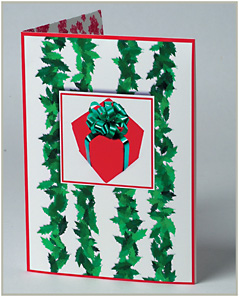
In the example below a customized Holly Brush tip is created to be used to help decorate a Christmas card. See over.

Open the source picture containing the image part that...

UNLIMITED FREE
ACCESS
TO THE WORLD'S BEST IDEAS

SUBMIT
Already a GlobalSpec user? Log in.

This is embarrasing...

An error occurred while processing the form. Please try again in a few minutes.

Customize Your GlobalSpec Experience

Category: Architectural Coatings
Finish!
Privacy Policy

This is embarrasing...

An error occurred while processing the form. Please try again in a few minutes.