Adobe Photoshop CS2 A - Z: Tools and Features Illustrated Ready Reference
Menu: Filter > Distort > Ocean Ripple
Shortcut:
Version: 6.0, 7.0, CS, CS2
See also: Filters
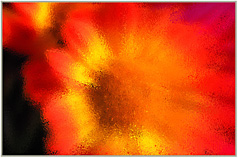
The Ocean Ripple filter, as one of the Distort group of filters, applies a rippled distortion to the whole of the picture surface. In this way it can create similar looking results to those obtained with the Glass or Ripple filters.


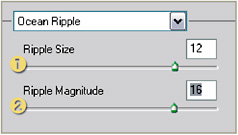
The filter contains two slider controls.
The Ripple Size setting (1) adjusts the scale of the wave-like ripples that are added to the picture. Low values create smaller, less dramatic ripples.
The Ripple Magnitude slider (2) determines how far each ripple is distorted. High settings create a greater level of distortion in the final result.
Menu: Filter > Other > Offset
Shortcut:
Version: 6.0, 7.0, CS, CS2
See also: Filters
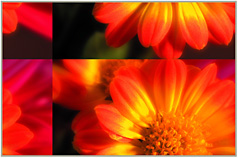
The Offset filter, as one of the Other group of filters, displaces the picture within the image window.
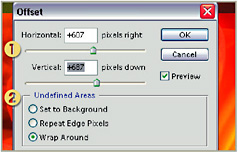
The filter contains two slider controls plus several options that determine how the offset areas are dealt with.
The Horizontal and Vertical sliders (1) adjust how offset the picture is from its original position. The greater the values the larger the offset will be.
The Undefined Area options (2) determine how the space left in the image window when the picture is repositioned will be treated.


Set to Background This options fills the gap left in the image window with the current background color.
Repeat Edge Pixels