Adobe Photoshop CS2 A - Z: Tools and Features Illustrated Ready Reference
Menu: Window > Navigator
Shortcut:
Version: 6.0, 7.0, CS, CS2
See also: Zoom In/Zoom Out
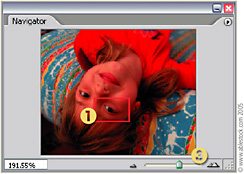
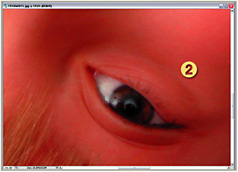
The Navigator palette is a small scalable preview palette that shows the entire image together with a highlighted rectangle (1) the size, scale and shape of the area currently displayed in the document window (2).

A new frame can be drawn (scaling the Image window with it) by holding the Command/Ctrl keys and making a new marquee. The frame can be dragged around the entire image with the Hand tool.
The Zoom tools (3) at each end of the slider can be clicked, the slider can be dragged, or a figure can be entered as a percentage to change view size.

Menu: -
Shortcut: -
Version: 6.0, 7.0, CS, CS2
See also: Interpolation, Image Size command, Bicubic interpolation
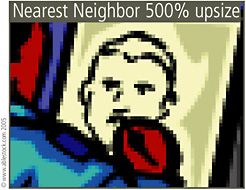
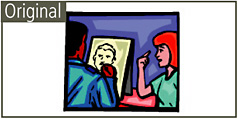
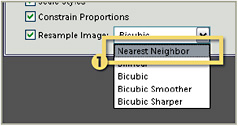
Nearest Neighbor is one of the interpolation methods that is available when resizing pictures using the Image Size feature (1).


This option provides the fastest and coarsest results and is only recommended for use with screen grabs or hard-edged illustrations.
It is not a method that works well with photographs. Instead, one of the bicubics options should be used to resize these image types.

Menu: Filter > Artistic > Neon Glow
Shortcut:
Version: 6.0, 7.0, CS, CS2
See also: Filters
The Neon Glow filter, as one of the Artistic group of filters, colors the image with foreground and background hues,...