Adobe Photoshop CS2 A - Z: Tools and Features Illustrated Ready Reference
Menu:
Shortcut:
Version: 6.0, 7.0, CS, CS2
See also: Keyboard Shortcuts customize
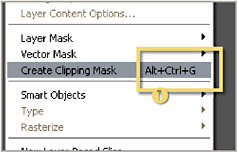
Using combinations of keyboard keys you can quickly access commands, features and menu options. Learn ones you use regularly to speed up your work. When shortcuts are available they re listed in this book in the Entry heading with both Mac and Windows equivalents. The default shortcut for specific menu options are displayed on the right of the menu list (1).

From version CS Photoshop provided the ability to let you assign your own favorite shortcuts to regularly used features or actions.
Shortcut: Ctrl/Cmd Alt/Opt Shft K
Menu: Edit>Keyboard Shortcuts
Version: CS, CS2
See also: Keyboard Shortcuts
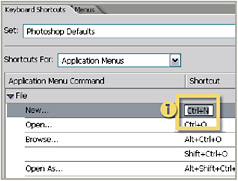
The shortcut keys associated with each menu and key options can be customized via the Keyboard Shortcuts dialog.
Here you can change the default stroke combinations (1), add your own or completely replace all the assigned shortcuts with a custom set designed around the way you work.

The completed set of shortcut keystrokes can then be output as a convenient HTML file by pressing the Summarize button at the bottom of the dialog.
Menu: File>File Info, Bridge: View>Keywords panel
Shortcut:
Version: 6.0, 7.0, CS, CS2
See also: Keywords Panel, Bridge
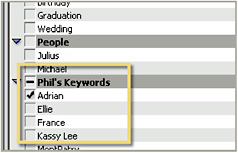
Keywords are single word descriptions of the content of image files. Most photo libraries use key words as part of the way they locate images with specific content.

The words are stored...